What to Check Before Buying a Travel eSIM for Your Phone Model
If your phone does not support eSIM, stop. UROCOMM travel eSIM will not install. No app setting or QR code will fix that. Check compatibility first. Then check carrier lock and regional model differences. Those are the two things most travelers miss.
Which iPhones support UROCOMM travel eSIM?
Start with the model, not the marketing name. iPhone XS (including XS Max) and XR or newer support travel eSIM. That runs through the iPhone 11, 12, 13, 14 and 15 series, plus iPhone SE 2nd generation or newer. The iPhone 8 line and iPhone X? No eSIM. No UROCOMM plan will install.
One trap: some iPhones sold in mainland China and Hong Kong lack eSIM even when the model name says iPhone 13 or 14. Do not trust the name. Open Settings > General > About and look for an EID number. No EID, no eSIM. UROCOMM keeps the exact Apple models in one place: Apple support list.
Which Google Pixel or Samsung Galaxy phones support eSIM?
Pixel is the easier answer. Google Pixel 3 and later support eSIM. That covers Pixel 3, 3a, 4, 4a, 5, 6, 6a, 7, 7a, 8, and 9 series. Samsung is less consistent. Galaxy S10 and later flagships have eSIM: S10, S20, S21, S22, S23, S24, Note 20, Z Flip and Z Fold lines. Many Galaxy A-series and M-series models do not.
US carrier firmware can hide the eSIM menu even on a flagship Samsung. Pixel devices are more predictable. On a Samsung, open Settings > Connections > SIM card manager. If the "Add eSIM" option is missing, travel eSIM will not work. UROCOMM covers Google separately here: Which Google Phones Support eSIM.
Does my phone need to be carrier unlocked?
Yes. This is not a maybe. If the phone is still tied to a carrier, the UROCOMM eSIM may install but the line will not connect. Sometimes the install fails outright. There is no UROCOMM workaround for a network lock. Ask your original carrier to remove it before you buy. Do this early. Some carriers take several days.
A phone bought on an installment plan is often locked until the device is paid off, even if you are using dual SIM. UROCOMM support cannot remove a carrier lock. Only the carrier that sold the phone can. If you are not sure whether your phone is carrier locked, the carrier lock guide walks through the checks.
Should I install the eSIM before or after I arrive?
Install before you leave. Start the plan after you land. Keep the line disabled until your plane touches down. Starting early can begin the validity period and may trigger roaming charges.
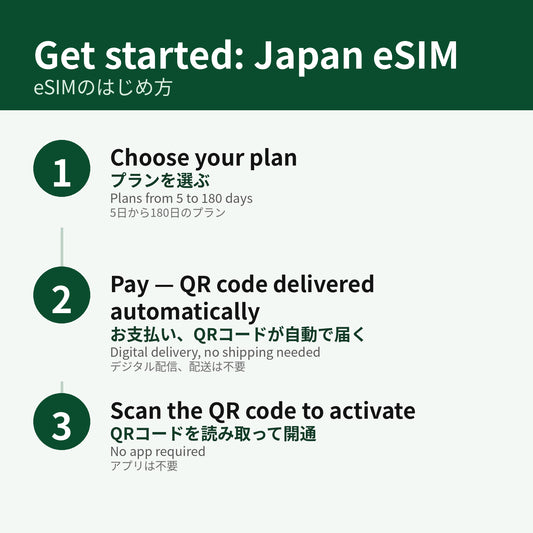
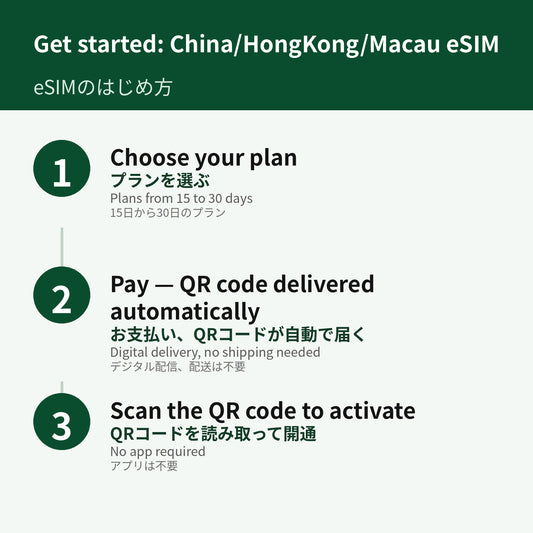
Here is the practical sequence: scan the QR code over your home Wi-Fi the day before departure, add the line, and switch it off. At the destination, enable it and set the eSIM as your data line. Some plans start automatically on first connection to a local network. Do not rely on that to save a day of validity. UROCOMM does not publish a single activation time in minutes; it depends on the local carrier. If airport Wi-Fi is unreliable, installing at home avoids a bad first hour.
What if my phone says "eSIM not supported"?
That message is usually honest. On most phones it means one of two things: the hardware has no eSIM chip, or the carrier firmware disabled it. UROCOMM cannot fix either from our side. First check the exact model number in Settings > About, not just the marketing name. A Galaxy S23 sold in one region can behave differently from one sold elsewhere.
If you have no EID and no eSIM menu, stop trying to install. Buy a different solution. UROCOMM sells a portable WiFi hotspot that covers 110 countries and works with any phone that has Wi-Fi, including an iPhone 8 or a carrier-locked phone: Global portable WiFi hotspot. It is one more device to charge. That is the trade-off.
Does my phone model affect which UROCOMM country plans I can use?
No. Phone support and country coverage are separate checks. If your phone passes the eSIM check, you can use UROCOMM eSIMs for Vietnam, Poland, Greece, and other single-country plans. The phone does not need to be a local model for the destination. What matters is that the phone can connect to a local network on a frequency band it supports.
UROCOMM sells country-specific data packages, and coverage depends on the destination plan, not on your Apple ID or Google account region. If the country you need is not listed, the support team can tell you what is available.
Need help?
Email service@urocomm.com with your exact phone model and the country you are visiting. If your phone passes the eSIM check, the eSIM collection is where to pick a plan.