Quick answer
Hong Kong only? Take the Hong Kong Travel eSIM. A route that crosses into mainland China or Macau needs the China/HongKong/Macau eSIM on an eSIM-capable phone, or the Southeast Asia & Greater China WiFi 6 hotspot if several devices have to be online at once.
Either eSIM: install it before you fly, activate it after you land. Not before.
Hong Kong coverage stops at the border
A Hong Kong eSIM is not a Greater China eSIM. UROCOMM lists the Hong Kong Travel eSIM with coverage limited to Hong Kong. That sounds obvious, right up until you're on the ferry to Macau or walking across to Shenzhen and the Hong Kong-only plan doesn't follow you.
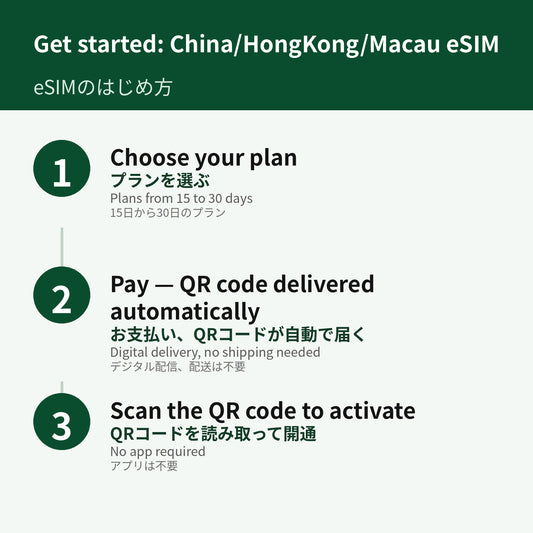
UROCOMM also sells a separate China/HongKong/Macau eSIM. The product name states the three places it covers: mainland China, Hong Kong, and Macau. If those are exactly your stops, this is the plan built for that route.
Then there's the Southeast Asia & Greater China WiFi 6 hotspot, sold as a "No SIM Needed" device. It connects to regional data networks without you inserting a local SIM. UROCOMM's product title gives the coverage area as Southeast Asia & Greater China rather than a country list. For a Hong Kong–Macau–mainland route, that region includes your stops. Japan and Korea don't appear in the title, so if you're adding either, check the current country list on the product page before you rely on it for a cross-border trip.
Side by side, as stated on the product pages:
| Product | Stated coverage | Right for | Watch out |
|---|---|---|---|
| Hong Kong Travel eSIM | Hong Kong | One phone, Hong Kong only | Not valid in Macau or mainland China |
| China/HongKong/Macau eSIM | China, Hong Kong, Macau | One phone, three stops | Requires eSIM support |
| Southeast Asia & Greater China WiFi 6 hotspot | Southeast Asia & Greater China (No SIM) | Multiple devices, no eSIM phone, group travel | Confirm country list; one extra device to charge |
| Hong Kong WiFi Data Plans | China, Hong Kong | Existing portable WiFi user | Data plan only, not a device |
| Macau WiFi Data Plans | China, Macau | Existing portable WiFi user | Data plan only, not a device |
The Macau day trip that breaks a Hong Kong-only plan
Picture the failure. You land at Hong Kong International, the Hong Kong Travel eSIM activates fine, and you spend two days in Kowloon with everything working. Day three, you take the TurboJET to Macau. Your phone still shows signal, but the Hong Kong eSIM gives you no data there. So you go looking for Wi-Fi in a casino lobby. Not the end of the world, and completely avoidable. If Macau or Shenzhen is on your itinerary, buy the China/HongKong/Macau eSIM.
Install at home, activate on landing
Activation normally starts the plan's validity period immediately, unless the provider specifically allows delayed activation. Activate a Hong Kong eSIM while you're still in London or San Francisco and the countdown begins before your trip does. You may also pick up roaming charges, because the eSIM is being used outside its intended country.
UROCOMM eSIMs are meant to be installed before travel and activated only on arrival: scan the QR code at home, turn the line off, switch it on after you land. If the instructions for your specific plan say something different, follow those.
eSIM or hotspot? Count your devices first
Start with what you're carrying. One phone points toward an eSIM. A phone plus a tablet plus a laptop, or a family of four, points toward a hotspot.
The Southeast Asia & Greater China WiFi 6 hotspot creates a local Wi-Fi network that several devices can join. The Hong Kong Travel eSIM feeds data to the one phone it's installed on. Tethering from that phone may work, but some eSIM plans restrict hotspot sharing, and UROCOMM doesn't claim a sharing guarantee on every plan. If a laptop needs to be online, check the plan details or carry the hotspot.
The phone itself matters just as much. No eSIM support rules out both the Hong Kong Travel eSIM and the China/HongKong/Macau eSIM. The WiFi 6 hotspot works with any Wi-Fi-capable device, which makes it the practical fallback. Check compatibility with your phone manufacturer before you buy.
When the hotspot is more than you need
Three days in Hong Kong, traveling alone, one eSIM-capable phone: skip it. The hotspot adds a device, a charging cable, and one more thing to keep in your pocket and remember to charge at night. The Hong Kong Travel eSIM is lower friction. Set it up, land, activate, go.
When Hong Kong only isn't enough
Half a day in Macau, or a shopping run to Shenzhen? The Hong Kong-only eSIM won't work there. Take the China/HongKong/Macau eSIM if one phone is all you're equipping, or the WiFi 6 hotspot if you need multiple devices. Don't buy two separate single-country eSIMs unless you enjoy juggling QR codes at a border. The regional product exists for exactly this route.
For a broader look at the trade-off, read Portable WiFi hotspot vs travel eSIM: which fits your trip?.
Why the names on the product pages matter
Pocket WiFi has been the default for many China and Hong Kong travelers for years. Two reasons keep coming up: not every phone supports eSIM, and some data plans restrict hotspot sharing. As of September 2026, third-party guides still list those two constraints as the main limitations on China eSIM use.
Rental pricing gives some orientation. One third-party listing advertises China/HongKong/Macau pocket WiFi from around $4.55 per day, with a 45% discount plus an extra 10% off. That is not UROCOMM's price, and UROCOMM doesn't publish a flat daily rental rate. Treat the figure as a market signal, not a quote.
Dates matter here as well. UROCOMM's own article on Hong Kong tourist internet was updated on August 18, 2026, and a separate third-party market guide to China SIM cards was published on September 2, 2026. If you're reading older travel posts that assume one SIM works across all three territories, those dates are the reason to double-check.
Three trips, three setups
Trip 1: Hong Kong only, one phone
The Hong Kong Travel eSIM. Install before you fly, activate after landing. That's it.
Trip 2: Hong Kong plus Macau or Shenzhen
The China/HongKong/Macau eSIM if your phone supports eSIM. If it doesn't, the Southeast Asia & Greater China WiFi 6 hotspot. This route crosses borders, which makes the Hong Kong-only product the wrong one.
Trip 3: Family, laptops, several countries
Build on the WiFi 6 hotspot. Several devices join one network and you skip buying a stack of eSIMs. For how no-SIM hotspots work in this region, see How no-SIM portable WiFi works in Southeast Asia and Greater China.
Adding Japan or Korea to the trip? The product title doesn't list Japan, so read Can one portable WiFi hotspot cover Japan, Korea and Greater China in a single trip? before you commit.
FAQ
Can I use one Hong Kong eSIM in Macau and mainland China? No. The Hong Kong Travel eSIM covers Hong Kong only. For mainland China and Macau as well, choose the China/HongKong/Macau eSIM or the WiFi 6 hotspot.
My phone does not support eSIM. What should I use in Hong Kong and Macau? The Southeast Asia & Greater China WiFi 6 hotspot. It works with any Wi-Fi-capable phone, tablet, or laptop, and it doesn't need a SIM slot.
Should I activate my eSIM before flying to Hong Kong? No. Install it before you leave, but activate it only after you land. Early activation starts the plan's validity and may trigger roaming charges.
Does the Southeast Asia & Greater China WiFi 6 hotspot cover Japan? The product title lists Southeast Asia & Greater China, not Japan. For a combined Japan and Greater China itinerary, see Can one hotspot cover Japan plus Southeast Asia and Greater China?.
The real question isn't "eSIM or hotspot?" It's which product covers the exact borders you'll cross. Match the product name to your route, not the other way around. Browse the eSIM collection for single-phone plans, or the mobile WiFi devices if you need a hotspot. Then check compatibility with your phone maker before you pay, because that's the one thing you can't fix once you've landed.