Quick Answer
One traveler, one phone, destination on UROCOMM's 17-country eSIM list: take the eSIM. Nothing extra to carry, nothing extra to charge. Add a laptop, a tablet, a second or third traveler, or a country outside that list, and a portable WiFi hotspot starts to make more sense. Both products work. What separates them is device count, coverage, and how much of your phone battery you're willing to hand over.
The core difference: your phone vs a separate router
You land at Narita at 10 pm. Your phone needs maps, your kid's tablet needs video, your laptop needs email. A travel eSIM covers the phone. It does nothing for the tablet or the laptop unless you switch on a personal hotspot and let the phone do double duty.
That's the whole argument in one line.
An eSIM is a digital SIM inside your phone: one handset, one local or regional data plan. A portable WiFi hotspot is a small router with its own battery and its own network. Phones, tablets, laptops, a camera with WiFi — they all connect to it the way they'd connect to your home network.
Different tools, different jobs.
When a travel eSIM fits
A travel eSIM is the lighter option. No extra device, no extra charger, no rental counter to find in arrivals. If you carry one phone and you mostly need maps, messaging, ride-hailing and a bit of browsing, the eSIM is usually the cleaner choice.
The catch is coverage. UROCOMM publishes a 17-country travel eSIM list. If your destination isn't on it, a UROCOMM eSIM simply isn't an option for that trip. You can browse UROCOMM travel eSIM plans, but confirm your destination is covered before you build a trip around one.
Device support matters just as much. You need an unlocked phone that takes eSIM. Some older handsets do, some don't. If you're not sure about yours, ask the manufacturer; they keep the current compatibility list, not us. No eSIM support means a portable WiFi hotspot is the simpler fallback. Our pocket WiFi vs eSIM FAQ runs through the same comparison with a bit more detail.
Don't activate before you land
This is the one rule first-time eSIM users break: do not activate your eSIM before you reach your destination unless the provider explicitly allows delayed activation.
Activation usually starts the validity clock. Do it at home the night before your flight and the countdown is already running. Activate while you're still outside the destination country and some plans will treat the connection as roaming, or expire it early.
Install before you fly. Activate after you land, unless the instructions that came with your plan say otherwise. That order is the safe default.
When a portable WiFi hotspot fits
A portable WiFi hotspot earns its keep the moment more than one phone needs to be online.
Family of four in Seoul. Two phones, one tablet, one laptop. Buying four eSIMs isn't the answer, and using one phone as a personal hotspot means that phone is dead by dinner. You connect everything to one WiFi 6 portable travel hotspot instead. The hotspot carries its own battery, so your phone stays a phone.
UROCOMM splits its hotspot line by destination:
- Japan WiFi 6 portable hotspot: Japan-only travel, no SIM needed.
- Southeast Asia & Greater China WiFi 6 hotspot: regional travel across that zone.
- Global WiFi 6 hotspot: 110+ countries and regions, no SIM needed.
That "no SIM needed" line matters more than it sounds. There's no local SIM to buy and nothing to swap inside the device; the hotspot connects through a cloud SIM setup that UROCOMM manages.
The trade-off is honest: one more object to charge and carry. The case is plain plastic and won't win a design award. It lives in your bag and wants power every night. For a solo traveler with a compatible phone, that's dead weight. For a parent juggling three devices, it's a fair swap.
Comparison table: match the tool to your trip
| Situation | Travel eSIM | Portable WiFi hotspot |
|---|---|---|
| One person, one phone, eSIM-compatible | Often the lighter choice | Works, but adds a device |
| Two or more people, several devices | Requires phone tethering, drains phone battery | One WiFi network feeds all devices |
| Destination inside UROCOMM 17-country eSIM list | Available | Available |
| Destination outside UROCOMM eSIM list | Not available | Global hotspot covers 110+ countries; 4G LTE hotspot covers 130+ countries |
| Laptop or tablet needs internet | Possible via hotspot tethering, but slower and battery-heavy | Direct WiFi connection, no tethering |
| Long day away from power | Phone battery shared with maps, camera, messages | Hotspot has its own battery, but it still needs charging |
Read it as a shortlist, not a verdict. No column wins every row.
Activation timing, and why the hotspot is more forgiving
This is the mistake I'd flag before device compatibility: more trips go wrong on activation than on unsupported phones.
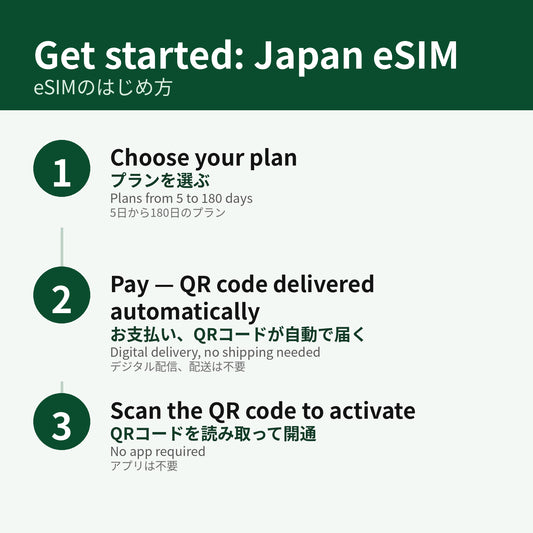
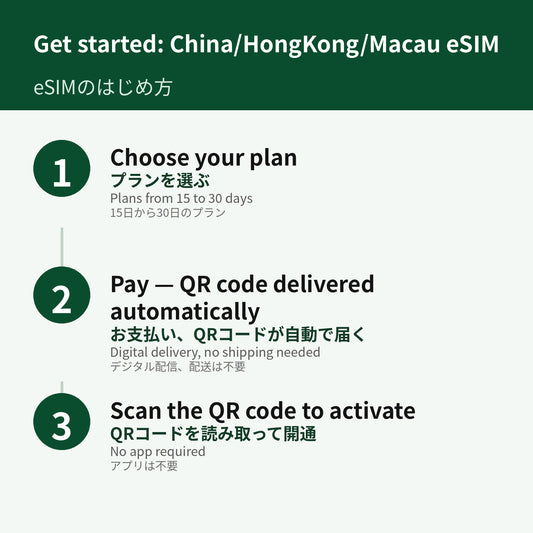
When you buy a travel eSIM you get a QR code or install details. Install it before you leave home. That step doesn't start your plan. Activation does.
Wait until you've cleared passport control. Activate while you're still in your home country and the validity window may open early. Some plans also count the connection as roaming if you aren't yet in the covered country. Either way you can lose usable days off the end of the trip.
UROCOMM's rule is simple: install early, activate on arrival. If your product instructions allow delayed activation or use a different trigger, follow those instead.
A portable hotspot is more forgiving here. You switch it on when you need it, and the plan starts from the day or period you picked at checkout or on first connection. Nothing to time against a landing.
Why UROCOMM sells both
Pocket WiFi rental took off in Japan and South Korea first, because locked phones and local SIM restrictions left travelers with few options beyond a rental router they picked up and dropped off at the airport. Then Apple put eSIM in the iPhone XS in 2018 and the single-phone option grew fast. Android support arrived in a patchwork across manufacturers and carriers.
UROCOMM carries both because the two categories still solve different operational problems. A provider selling only eSIM has no answer for a family with laptops heading somewhere outside eSIM coverage. A provider selling only hotspots has no answer for a solo traveler who wants to leave the second device at home.
The constraint that shapes most of the advice on this page: the UROCOMM travel eSIM covers 17 countries and regions today. The WiFi 6 portable hotspot covers 110+ countries and regions. The older 4G LTE portable hotspot covers 130+ countries and regions. Those are not the same product under different names. They're different service footprints. Check your exact destination before you choose.
A practical decision path
Three questions, in this order:
- How many devices need data? One phone points toward eSIM. Two or more devices, or a laptop in the mix, points toward a hotspot.
- Is your destination on UROCOMM's 17-country eSIM list? If not, a hotspot is the only UROCOMM option for that trip.
- Does your phone support eSIM, and is it unlocked? If not, the hotspot sidesteps the problem.
Japan has its own more granular guide: how to choose pocket WiFi for Japan travel. Weighing Taiwan? See pocket WiFi or eSIM for Taiwan travel. Both apply the same logic with local detail.
FAQ
Does a travel eSIM work in any phone? No. It needs an unlocked, eSIM-capable phone. Some older models qualify and some don't, so check the manufacturer's current compatibility list. No eSIM support, and a portable WiFi hotspot is the direct alternative.
Can I share a travel eSIM's data with my laptop? Often yes, by turning on the phone's personal hotspot. Expect faster battery drain and possibly slower speeds. A portable WiFi hotspot gives your laptop its own network without turning your phone into a router.
Should I activate my eSIM before flying? Don't, unless the provider explicitly allows delayed activation. Activation normally starts the validity period, and it can trigger roaming charges if you're still outside the covered country. Install before travel; activate after landing.
Which is cheaper, pocket WiFi or eSIM? No single answer. It depends on destination, data amount and trip length. UROCOMM doesn't publish a universal price for either category, because plans are region-specific and change with inventory. Compare the specific plan pages for your route rather than trusting a general rule.
Where to start
One person, one phone, and a covered destination? Start with a travel eSIM. Traveling with family, a laptop, or a country outside UROCOMM's current eSIM list? Start with a portable WiFi hotspot. Confirm coverage for your exact route first; that single check rules out more wrong purchases than any spec comparison. Then look at available eSIM plans or portable WiFi hotspot devices and see which one matches your route.