How to Set Up eSIM on a Galaxy S22 (2026 Update)
You add an eSIM profile in the phone's SIM card manager, scan UROCOMM's QR code, then activate the plan after you land. The install itself takes about 5 minutes. The one warning that matters: do not activate the plan before you arrive, or the validity period can start and expire before your trip ends.
1. Check that your Galaxy S22 can actually add an eSIM
The S22, S22+, and S22 Ultra all hold one eSIM plus one physical nano-SIM. Carrier-locked units and some regional US models can hide the Add eSIM option, though.
Open Settings > Connections > SIM card manager. If Add eSIM is there, you're set. If it isn't, the phone is probably carrier-locked or running firmware that has eSIM switched off. A locked S22 often still supports eSIM — the carrier just has to turn the feature on for your line first. To check the model itself, look at the bottom of Settings > About phone for a number like SM-S901, SM-S906, or SM-S908, but the SIM card manager check is faster and tells you more.
The steps below follow the standard One UI 6.x menu layout. On One UI 5.x the path is almost identical. For the wider Samsung range, see How to Install eSIM on Samsung Galaxy Phones.
2. Buy the plan and keep the QR email open
UROCOMM emails you a QR code and an alphanumeric activation code after checkout. Keep that email to hand during setup. The QR code downloads the profile; the code is your fallback if the camera won't read the QR.
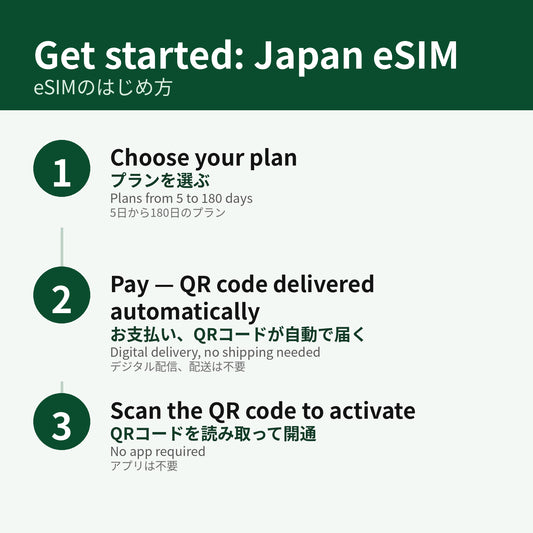
Pick the plan before you buy. Heading to the US? A USA unlimited eSIM installs the same way. Japan? The Japan unlimited eSIM follows the identical path. Anywhere else, browse the eSIM collection rather than guessing a product URL.
You can install the profile at home. Just don't activate the plan yet.
3. Install the profile
Connect to Wi-Fi first — the phone needs an internet connection to download the profile, and you should not burn roaming data on your home SIM for this.
- Open Settings.
- Tap Connections.
- Tap SIM card manager.
- Tap Add eSIM. Some S22 models label it Add mobile plan.
- Tap Scan QR code and point the camera at the QR code in UROCOMM's email.
- If it won't scan, tap Enter activation code and type the alphanumeric code from the same email.
- Tap Add or Confirm when prompted.
- Wait 1 to 2 minutes. The profile shows up in SIM card manager as eSIM 1 or eSIM 2.
The profile is installed. The plan is not active. That's deliberate.
4. Point mobile data at the UROCOMM eSIM
With a physical SIM and an eSIM both in play, you choose which one carries data. Go to Settings > Connections > SIM card manager > Preferred SIM card, tap Mobile data, and pick the UROCOMM eSIM. Leave Calls and SMS on the physical SIM if you need your home number.
Most UROCOMM travel plans are data-only, so keeping the physical SIM as the voice line is usually the safer call. Both lines can be live at once: eSIM for data, physical SIM for calls and texts. What the S22 won't do is run two eSIMs at the same time.
5. Activate only after you land
This is the step people get wrong. Installing the profile at home is fine. Activating it starts the validity period, and the plan can run out before your trip does.
Once you're on the ground, connect to airport or hotel Wi-Fi and open Settings > Connections > SIM card manager. Check the UROCOMM eSIM is enabled. Turn off Airplane mode, then toggle the eSIM off and back on while you're on Wi-Fi. Activation usually completes in 1 to 2 minutes as the phone registers on the local network.
Don't activate while you're still on your home network or sitting at the gate. Days used before you fly are gone, and UROCOMM support cannot put them back.
6. Confirm data is working on the right line
Load a simple web page with Wi-Fi off. If nothing happens, check that mobile data is on and that data roaming is enabled for the eSIM. Open Settings > Connections > Mobile networks, select the UROCOMM eSIM, and turn on data roaming there. Many travel eSIMs ride on local partner networks and need roaming switched on for the eSIM line. Do not turn on data roaming for your physical SIM.
Then toggle Airplane mode off and on; the phone usually reconnects within about a minute. If it still won't connect, you may be outside the plan's coverage area.
When it goes wrong
Most failures come down to three things: early activation, a missing Add eSIM option, or data routed through the wrong SIM.
Add eSIM is missing. Check carrier lock status first. If the carrier won't switch eSIM on for your line, don't force it. A UROCOMM portable WiFi hotspot from the mobile WiFi collection works with any phone and leaves your SIM settings alone.
The QR code won't scan. Raise the screen brightness and make sure you're on Wi-Fi. Use Enter activation code instead of the camera. If the profile still won't install, email service@urocomm.com with the error message.
Profile installed, no data after landing. Confirm the eSIM is the active data line under Preferred SIM card. Turn data roaming on for the eSIM only, toggle Airplane mode, and check you're inside the supported destination country.
Plan expired before the trip ended. That almost always means the plan was activated before arrival. Lost days don't come back. Next time, install before you travel and activate after you land.
Calls and texts from your home SIM stopped. The physical SIM probably got disabled when you switched lines. In SIM card manager, keep the physical SIM enabled and set calls to it, with mobile data still on the eSIM.
Galaxy S22 eSIM questions
Can I use my physical SIM and eSIM at the same time on a Galaxy S22?
Yes. The S22 runs one physical nano-SIM and one eSIM together, so you keep your home number for calls and texts and use the eSIM for data. Two eSIMs active at once is not a thing on this phone — you can store several profiles and switch manually.
When exactly should I activate my UROCOMM eSIM?
Install the profile before you leave home. Activate only after you arrive, using airport or hotel Wi-Fi. Activating early starts the validity period and can leave the plan dead before your trip ends.
Do I need internet to install the eSIM profile?
Yes. Get on Wi-Fi at home or at the airport before you scan the QR code. Without it, the profile can sit as "Waiting" and never finish.
If your S22 can't add an eSIM, the clean fallback is a UROCOMM mobile WiFi device. You skip the SIM manager completely and the phone just joins a hotspot. If it can, go to the eSIM collection, pick your destination, and install the profile now. Just don't activate it until you land.