Do You Need a SIM Card to Use a Portable WiFi Hotspot When Traveling?
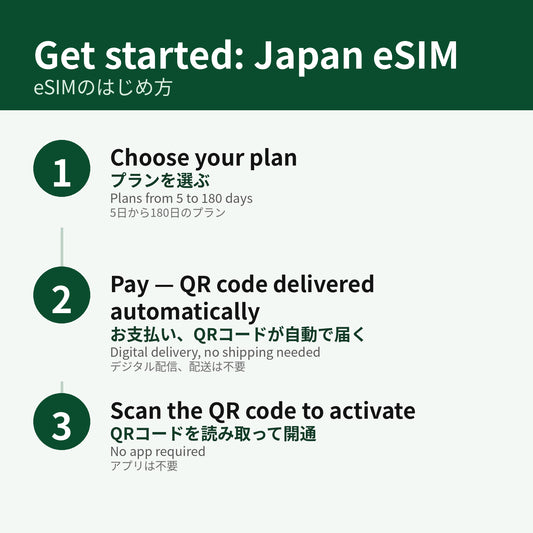
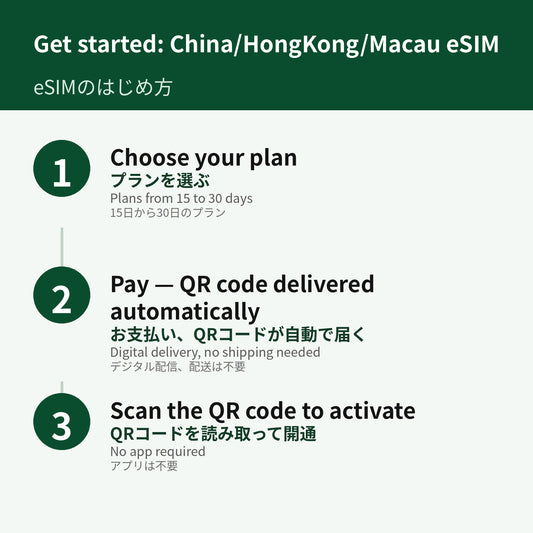
No. UROCOMM pocket WiFi does not require you to buy or insert a local SIM card. You power the device on and connect your phone to its WiFi network. Then you use data. A travel eSIM is different: it installs directly on your phone and needs an eSIM-capable device.
Do I need a SIM card to use a UROCOMM pocket WiFi?
No. A Japan WiFi 6 hotspot arrives ready for the region you bought. Same for the Southeast Asia & Greater China and USA WiFi 6 units. UROCOMM pre-provisions network access before shipping. No tray to open, no airport SIM counter to visit.
That matters when you land late and the last thing you want is a foreign carrier's paperwork. The hotspot works as a small router, and your phone sees it as ordinary WiFi. But the data plan is tied to the region you bought. A Japan-only unit will not follow you into another country. If your route crosses regions, pick a global model instead.
How does a portable WiFi hotspot work without a SIM card?
It still uses a mobile network. The difference is that you never handle the SIM. The hotspot carries internal or embedded network access provisioned by UROCOMM. When you power it on, the device connects to a local carrier in the supported country and creates a private WiFi signal.
Your phone or laptop joins that signal the same way it joins home WiFi. The trade-off: the hotspot is data-only. No phone number, no voice calls. If you need your normal number for two-factor codes, keep your primary SIM active for calls, or use WiFi calling where your carrier allows it. More mechanics are in our portable WiFi explainer.
Travel WiFi vs SIM card or eSIM: which one do I actually need?
It depends on the phone in your pocket. A travel eSIM installs directly on your phone, so it is the lighter choice if your phone is unlocked and supports eSIM. A physical local SIM works much the same way: the phone must be unlocked, and you get one connected device.
Pocket WiFi is the safer route if your phone is locked to a carrier or you need to connect a laptop and a tablet at the same time. UROCOMM sells both, so the decision comes down to device compatibility and sharing. Recent Apple, Google, and Samsung phones generally support eSIM, but locked versions and some older models do not. We lay out the trade-offs in portable WiFi vs travel eSIM.
When should I activate my travel eSIM if I choose one over pocket WiFi?
Install the eSIM profile before you fly, but do not start the plan until you land. Starting early can begin the validity period and may trigger roaming charges before you are ready.
Pocket WiFi has no such two-step timing. The data plan you buy for a hotspot is tied to the device and the region, and it is ready when you power on. If you are unsure whether an eSIM plan has started, keep data off until you are in the covered country. That keeps the validity clock from running early.
Do I need a special phone or eSIM support to use a travel WiFi hotspot?
Any phone works. That is the point. A tablet or laptop with ordinary WiFi connects to UROCOMM pocket WiFi too, and there is no app to install and no APN settings to change. Nothing to unlock from a carrier. The hotspot holds the data connection.
Travel eSIM is the opposite. It needs an eSIM-capable, unlocked device. If your phone is locked or too old to support eSIM, pocket WiFi is the practical fallback. This is why pocket WiFi suits travelers with work devices they cannot modify or phones tied to a carrier contract.
Can one UROCOMM hotspot cover multiple countries?
Only if you choose the right product. The global WiFi 6 hotspot is built for multi-country coverage across 110+ countries. The regional models are not.
A Japan WiFi 6 unit is for Japan. A USA unit covers the United States. A Southeast Asia & Greater China unit covers that defined region only. This is not a hidden limit; it is in the product name and the coverage scope. UROCOMM also lists a 4G LTE Urozetta option with 130+ countries. Match the device to your full route, not just your first airport. The second country on your itinerary counts.
What if my UROCOMM pocket WiFi has no internet after I land?
Check two things first: that the device is powered on, and that your phone is connected to the hotspot's WiFi rather than airport WiFi. Then confirm you are inside the plan's covered region. A Japan-only hotspot in Seoul will not work.
If you are in coverage and the status light shows a network but no data passes, restart the device. Give it a minute to reconnect. Then check the plan state in your UROCOMM account. Some data plans run from 1 day to 30 days depending on destination, and a short plan can expire while you are still traveling. If the plan is active and a restart does not fix it, write to service@urocomm.com. UROCOMM does not publish a universal support response window, so allow for time-zone differences.
Need help?
Not sure whether a regional or global pocket WiFi fits your route? Email service@urocomm.com with your destinations and whether your phone is eSIM-ready. Or browse the current mobile WiFi devices to see the no-SIM lineup. Tell us where you are going and what phone you carry, and that usually settles it.