Can One Portable WiFi Hotspot for International Travel Handle Phones, Tablets, and Laptops?
Yes. One UROCOMM hotspot can usually serve a whole group at once. It turns a cellular data connection into one private WiFi network. The catch: every device draws on the same data plan and the same battery.
You land at Narita at 10 pm. Three of you connect to that network. Nobody queues at a rental counter. For a family that stays together, it works well. Split up across town and it falls apart.
How many devices can connect to one UROCOMM portable hotspot?
UROCOMM does not publish one device cap for all models, and I won't invent a number. In practice the limit is rarely the connection count. It's the shared data and the battery.
A couple of phones plus a laptop on a Macaroon M3B portable WiFi hotspot is a realistic load for email and maps. The M3B won't win a design award—it's a plain plastic box—but it's small enough to hand around a group. Start streaming video on every device and the shared link slows down. The connections hold; the data pipe doesn't. For a heavier multi-device load, look at the WiFi 6 models rather than older 4G-only units. WiFi 6 handles simultaneous traffic better.
Is one shared pocket WiFi cheaper than buying an eSIM for every device?
Sometimes. One pocket WiFi plan can cost less than three or four separate eSIM plans, especially when the tablets and laptops only need occasional data. Shared pricing is not the whole story, though.
Split up and the hotspot leaves with one person. Everyone else goes offline. A mixed setup often works better: one hotspot for the family's tablets, one eSIM for whoever runs errands or takes a call away from the group. You can compare the two in our article on portable WiFi versus travel eSIM.
Got a single phone? A lone eSIM removes the need to charge and carry a hotspot at all. Plan lengths vary by destination. The Hong Kong WiFi data plan runs from 1 day up to 90 days, so a short trip does not pay for a month.
Which UROCOMM hotspot covers Japan, Southeast Asia, or the USA?
Match the device to the region. The Japan WiFi 6 Portable Travel Hotspot is sold for Japan only. The Southeast Asia & Greater China WiFi 6 model is meant for that region, and the USA WiFi 6 Portable WiFi Hotspot covers US travel.
Crossing borders? The Macaroon M3B covers 110+ countries. The Urozetta UZ201 covers 130+ countries on 4G LTE. The trade-off is real. A regional device is tuned for local networks. A global one gives you flexibility but may not be optimized for any single country. UROCOMM does not publish comparative speed test data, so choose by coverage map, not by a speed claim.
When should I start my portable WiFi or eSIM plan?
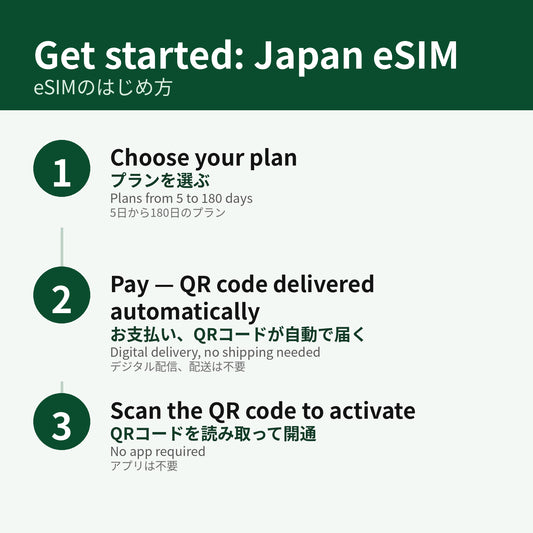
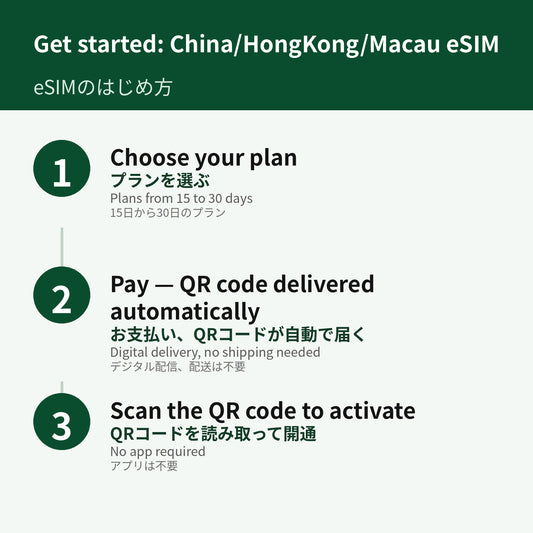
With UROCOMM eSIMs, the rule is simple: Install the eSIM profile before travel, but start the plan only when you arrive at your destination. Activate early and the validity countdown starts; you may also trigger roaming charges before you step off the plane.
Same logic for portable WiFi plans. Don't start one early unless the product page specifically says early activation is safe. On many cloud SIM hotspots the first connection is quick once you're in the covered country, but UROCOMM does not publish a universal activation time. A 3-day Japan plan started a day early is already a third gone before you land.
What should I do if one device keeps dropping or the hotspot feels slow?
Move the hotspot closer to the device. Laptops with metal bodies and thick hotel walls are the usual culprits. Then disconnect what you're not using. A tablet syncing photos will quietly burn through shared data and battery. Restart the hotspot.
A low battery can throttle performance too, so keep the hotspot plugged in during long work sessions. Indoors, put it by a window. Check region locks as well: the Japan-only model will not work in Korea, and the Southeast Asia model will not work in Japan unless its coverage list says so.
Still dropping? Email service@urocomm.com with your order number and the country you're in. UROCOMM does not publish a guaranteed response window, but support can see plan status and help you reset the device.
Does a shared hotspot still make sense if my family splits up?
No. If you separate for more than a short errand, one hotspot physically stays with one person and everyone else loses data. In that case, add per-person eSIMs or carry a second hotspot.
The usual split: one parent keeps the shared hotspot for the kids' tablets, the other runs a travel eSIM on their phone for solo work calls. Single-device plans sit in the eSIM collection. Just make sure each phone is unlocked and eSIM-capable before you buy. The hotspot stays the right call for the group; the eSIM covers the person who roams.
Need help?
If you're still weighing one hotspot against several eSIMs, email service@urocomm.com with your destination list and how many devices you're bringing. We'll tell you whether a single Macaroon M3B will do the job or whether you need a mixed setup. For hotspot models and data plans, start at the mobile WiFi collection.