What Does a Travel eSIM Cost for a Two-Week Trip?
There is no single number, because "a two-week eSIM" isn't one product. Your cost comes down to three things: where you're going, how much data you pick, and how long the plan stays valid — and for 14 days on the ground you need at least 15 days of validity, or the plan dies on you at the airport on the way home. UROCOMM doesn't publish one flat global price list; prices are set per destination and per data tier, and they move with plan availability. So instead of a made-up range, here's how the price is actually built.
So what does a two-week travel eSIM actually cost?
Start with the honest answer: UROCOMM's price is set per destination and per data tier, and the figure on that destination's product page is the one that applies — the company does not publish a single worldwide price list, so this article won't invent a number for it. What you control is the tier you land in. Data tiers typically run in small (around 3 GB), mid (5–10 GB) and unlimited brackets, and validity brackets usually sit at 7, 15 and 30 days.
For an outside anchor: T-Mobile's US prepaid travel pass is publicly listed at $25 for 7 days, $30 for 10 days, and $35 for a trip of up to two weeks, plus taxes. That's one carrier, one country. It tells you roughly where the floor sits for short US coverage — nothing more.
How much data should I buy for 14 days?
For a two-week trip, 5 GB is a sensible starting point if you're mostly on maps, messaging and the occasional restaurant search. Go to 10 GB if you're posting photos daily, taking video calls, or tethering a laptop in the evening.
Maps and navigation are lighter than people fear — think megabytes per hour, not gigabytes. That's a general estimate, not a UROCOMM measurement. Two things push you up a tier: video, and tethering. Two things push you down: hotel WiFi and downloading offline maps before you fly. If you're unsure, buy the smaller plan and top up later rather than pre-paying for data you won't touch.
Why does the same trip cost more once I cross a border?
Because UROCOMM's country eSIMs are built for one destination. A Japan plan covers Japan. Land in Seoul mid-trip and it won't follow you across the water — that's a coverage constraint, not a glitch, and it's the single most common reason people end up paying for two plans on one trip.
If your itinerary crosses borders, compare the maths before checkout: one regional plan versus two separate country plans. For Asia, the Asia regional travel eSIM is designed for exactly that multi-country shape and usually beats stacking single-country plans. For anything outside a listed product, the eSIM collection shows what's actually available for your route.
Does the plan clock start when I install it, or when I arrive?
When the plan activates — not when you install it. Install the eSIM profile before travel, but start the plan only when you arrive at your destination. Do it early and the validity period begins ticking days before you've cleared immigration, and on some routes the profile can latch onto a network at home and trigger roaming charges.
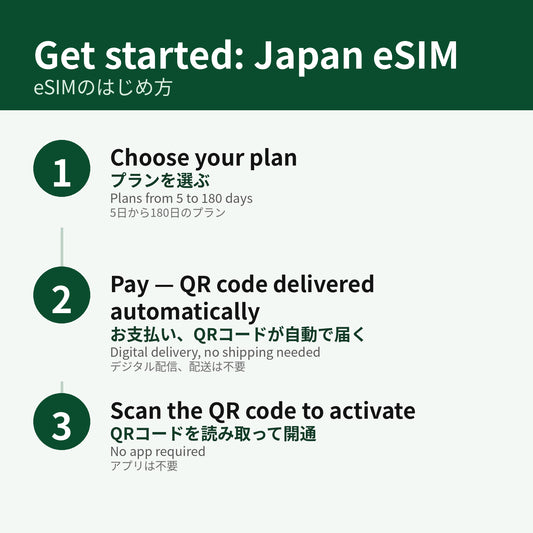
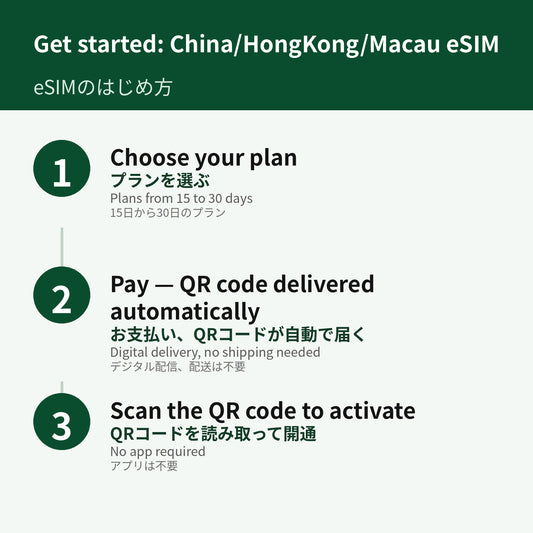
Installation itself is quick; the download usually takes a couple of minutes on decent WiFi. What matters is the order: install at home on WiFi, leave the line switched off in settings, then enable it on landing. Our guide to how long a travel eSIM takes to activate walks through the sequence.
Will my phone actually support it?
Two checks decide this. First, whether your model is eSIM-capable — most recent iPhones and flagship Androids are, many budget handsets aren't. Second, whether your phone is carrier-unlocked; a locked handset will refuse the profile no matter how many settings you toggle.
There's also a dual-SIM wrinkle. Plenty of phones hold one eSIM plus one physical SIM. If yours can't run two eSIMs at once, keep your home line in the physical slot and route data through the travel eSIM. And if your phone fails either check, don't buy an eSIM at all — the global portable WiFi hotspot covers 110 countries and connects your laptop and your travel companion's phone too.
What if I run out of data or it won't connect on day one?
Running out mid-trip is fixable. UROCOMM plans can be topped up from your account, so you don't need to buy a whole new plan — the steps are in how to top up your UROCOMM eSIM data plan. If nothing connects at all, work through the boring stuff first: the line is switched on, data roaming is enabled for that line, and the travel eSIM is selected as your mobile data source rather than your home SIM. Nine times out of ten it's one of those three.
Anything else — a failed activation, a plan that won't show up, a refund question — email service@urocomm.com with your order number and a screenshot of your eSIM settings. That's faster than describing it from memory.
Need help?
Two weeks is long enough that guessing gets expensive. Pick your destination plan from the UROCOMM eSIM collection, check the validity bracket says 15 days or more, and install it at home — not at the gate. If you're torn between a 5 GB and a 10 GB tier, email service@urocomm.com with your destinations and roughly how you use your phone; getting the tier right once is cheaper than topping up twice.