Which phones work with a travel eSIM? Apple, Google and Samsung compatibility explained
If your iPhone is an XS/XR or newer, your Pixel is a 4 or newer, or your Samsung Galaxy is a recent S-series, Z-series or Note model, the answer is usually yes. UROCOMM travel eSIMs are built for Apple, Google and Samsung devices, but not every model inside those brands works. You need the exact model number, not just the brand name.
Does my iPhone work with a UROCOMM travel eSIM?
Yes, if it is an iPhone XS, XS Max or XR from 2018 or any later iPhone. That includes the iPhone 11, 12, 13, 14, 15 series and the 2020 or 2022 iPhone SE.
One useful quirk: iPhone 13 and later can run two eSIMs at the same time. iPhone XS through 12 support one eSIM plus one physical SIM. If you own an iPhone X, iPhone 8 or anything older, eSIM is not an option. See the full Apple list at Which Apple Phones Support eSIM?
Which Google Pixel phones are compatible?
Pixel 4 and later are the safe line. That covers Pixel 4, 4 XL, 4a, 4a 5G, 5, 5a, 6, 6a, 7, 7a, 8 and 9. Pixel 3 and 3 XL do have eSIM hardware, but software and carrier support vary enough that UROCOMM treats Pixel 4 as the practical cutoff.
Pixel 7 and newer can hold two eSIMs at once. If you are planning a trip with an older Pixel 3, assume no until you confirm the exact model with support. The complete model breakdown is in Which Google Phones Support eSIM?
What Samsung Galaxy phones work with a travel eSIM?
Samsung is less predictable. Galaxy S20 series and newer, Note 20 and newer, and Z Flip and Z Fold models support eSIM on most international firmware.
The problem is a Galaxy A53 bought from a US carrier can behave differently from an unlocked A53. Same model name, different firmware. UROCOMM support always asks for the exact model number from Settings > About phone, not just "is it an A54?" For a full device list, check Samsung eSIM Compatibility: Complete Device List
When should I install and activate my UROCOMM eSIM?
Install the eSIM profile before you leave home. Start the plan only after you land.
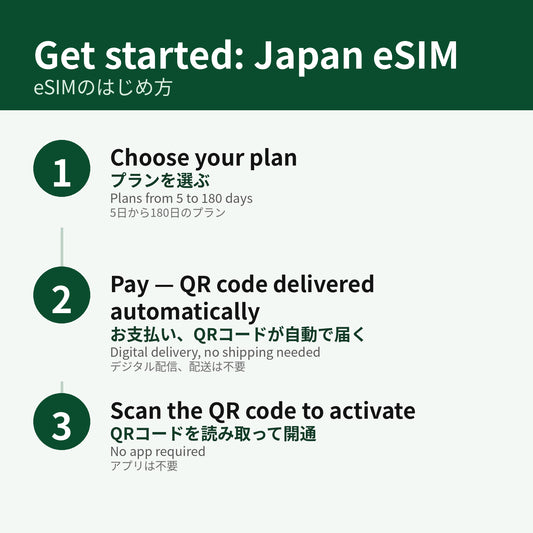
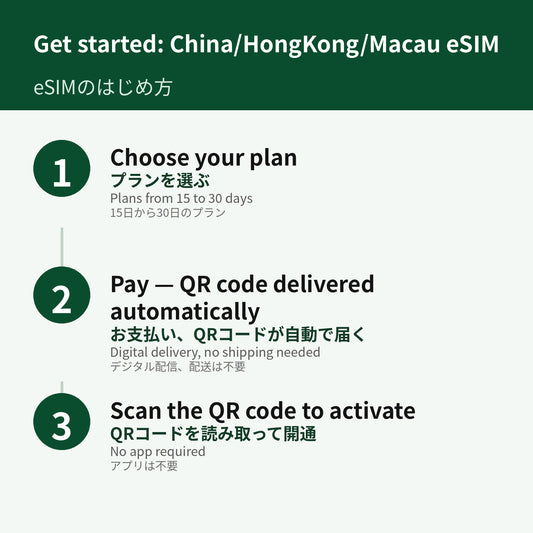
The reason is simple: activating early starts the validity period. UROCOMM's rule is install before travel, activate at destination. You can scan the QR code or enter the SM-DP+ address on your home WiFi. The line normally connects a few minutes after you arrive, but UROCOMM does not publish one universal activation time because it depends on the local carrier. The step-by-step walkthrough is in How to activate a travel eSIM on your phone before you fly
Can I use my home SIM and a UROCOMM eSIM at the same time?
On many phones, yes. iPhone 13 and later can keep two eSIMs active at once. iPhone XS through 12 can run one eSIM and one physical SIM. Pixel 7 and newer can run two eSIMs. Samsung Galaxy support varies by model, but dual-SIM versions often allow one physical SIM plus one eSIM.
You pick which line handles data. That means you can keep receiving texts on your home number while UROCOMM supplies the travel data. The exact setup depends on your phone, so confirm before you fly.
What if my phone is not on the list?
You can still get online. UROCOMM eSIM plans are built for Apple, Google and Samsung phones. If you own a Huawei, Xiaomi, OnePlus or an older iPhone, Pixel or Galaxy, the eSIM option will not appear.
Use a portable WiFi hotspot instead. It connects to local networks and shares a private WiFi signal with your phone, tablet and laptop. Most UROCOMM travel eSIMs are data-only, so even on a compatible phone you usually do not get a local phone number for traditional voice calls. That is the trade-off.
Need help?
Still unsure whether your exact Galaxy model will work? Email service@urocomm.com with your phone's model number and the country you are visiting. UROCOMM support will confirm compatibility before you pay. If your phone is eSIM-ready, browse the plans in the eSIM collection.