eSIM vs Physical SIM: Which Should You Use for Travel?
Use an eSIM if your phone supports one, you want data working the moment you land, and you'd like to keep your home number in the tray for calls and texts. Buy a physical SIM if your phone has no eSIM hardware, or if you're staying somewhere for months and need a local phone number. For a normal one-to-three-week trip where you mainly need data, the eSIM is the simpler choice — but the format isn't the whole story. Here's how the two actually differ on setup, cost, coverage, and what happens when something goes wrong.
What actually differs between an eSIM and a physical SIM?
Only the delivery. An eSIM is a chip soldered into your phone; the carrier profile arrives as a QR code or an app download. A physical SIM is a plastic card you insert. Once installed, both authenticate on the same local networks and give you the same data speeds, because the towers don't care which format you're on. The real differences show up in three places: how fast you can get connected, whether you can run two lines at once, and what you do when your phone won't cooperate. Everything else is marketing noise.
Can I keep my home number active while using a travel eSIM?
Yes, and this is the reason most travelers pick eSIM. Your home SIM stays in the tray for incoming calls and one-time bank codes, while the eSIM handles data. On iPhone XR/XS (2018) and later you can run two lines at once, and iPhone 13 and newer can hold two eSIMs simultaneously. Samsung Galaxy S20 and later, plus Google Pixel 3 and later, work the same way. Set the travel eSIM as your default data line and switch data roaming off on your home line so it doesn't quietly bill you. We walk through the settings in using a travel eSIM and your home SIM at the same time.
Is an eSIM cheaper than buying a physical SIM at the airport?
Usually yes for data, though not always. With an eSIM you buy before you fly, at a listed price, with the validity and data allowance visible on the product page. Airport kiosks and roaming add-ons price in convenience, and you're paying while tired. Add the hidden costs of a local SIM — the queue, the registration paperwork, the taxi to a carrier store — and the gap widens. The exception is long stays. If you're in one country for three months and need a local number for deliveries or a lease, a local prepaid SIM often wins. UROCOMM does not publish a single price range across all plans, because pricing varies by country and duration; check the individual product page.
When should I install and start my UROCOMM eSIM?
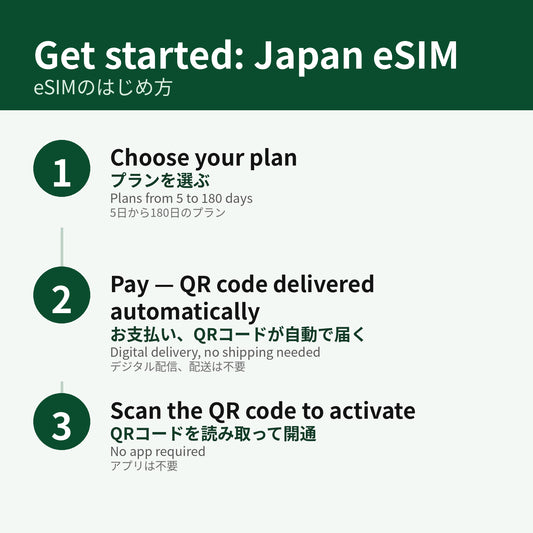
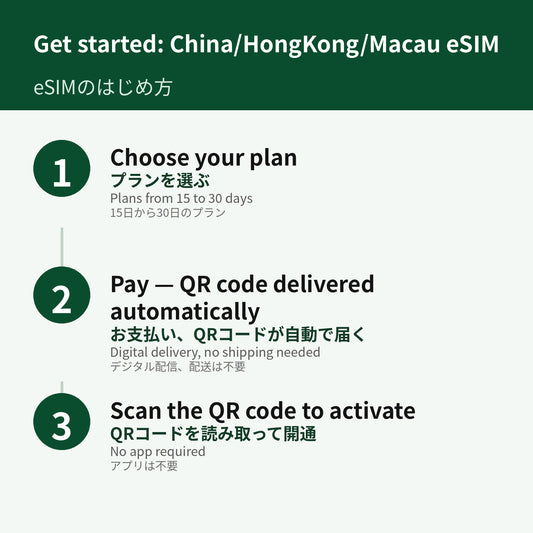
Install the profile before you travel, but start the plan only when you arrive at your destination. That's the rule, and it matters. Scan the QR code at home on your own WiFi — the download takes a couple of minutes — then leave the line switched off. Activating early can start your validity period before you've even packed, and it may trigger roaming charges while you're still in your home country. Turn the eSIM line on after you land, when your phone can see the destination network. Do the install at home, not in a arrivals hall on airport WiFi that keeps dropping.
Will my phone even support an eSIM?
Check for an EID before you buy anything. On iPhone go to Settings → General → About and look for "EID"; on Android dial *#06# or check Settings → About Phone. No EID means no eSIM support, and no travel eSIM will install. Two other traps: carrier-locked handsets sometimes refuse third-party profiles, and some regional models ship without eSIM hardware at all — mainland-China iPhones are the common example. Worth knowing: iPhone 14 models sold in the US have no SIM tray whatsoever, so eSIM is your only option there. Our guide on switching between eSIM and physical SIM covers the menu paths for both systems.
Does an eSIM give me worse coverage than a local SIM?
No. Coverage comes from the network your plan is allowed to attach to, not from the card format. A UROCOMM eSIM for your destination connects to local carriers on the same towers a shop-bought SIM would use. What varies is the partner list behind each plan, and that's worth checking country by country before you buy. Multi-country trips are where eSIM pulls ahead: one regional profile such as our Asia travel eSIM covers a whole route, so you're not hunting for a SIM shop at every land border. Each product page lists exactly which countries are included.
What do I do if the eSIM won't connect after I land?
Run four checks first, in this order: confirm the eSIM line is switched on, turn on data roaming for that line (travel eSIMs need it even when you're not "roaming" in the traditional sense), set network selection to automatic, then restart the phone. That clears most cases. If it's still dead, email service@urocomm.com with your order number, phone model, and a screenshot of the eSIM settings screen — support runs by email, and UROCOMM does not publish a guaranteed response window, so include everything in the first message rather than waiting for a back-and-forth.
What if I don't want to touch my phone settings at all?
Get a pocket WiFi instead. Our global portable WiFi hotspot covers 110 countries from one device, connects any phone or laptop over WiFi, and works for traveling companions who have no eSIM support or a locked handset. You swap a two-minute eSIM install for carrying and charging a small device. If you're weighing that trade-off — say, a family of four versus a solo business trip — the comparison in pocket WiFi vs eSIM is the place to start.
Need help?
Email service@urocomm.com with your destination, travel dates, and phone model, and we'll tell you whether an eSIM will install cleanly before you pay for anything. If you already know your phone is compatible, browse the full eSIM collection to match a plan to your trip.