Update: Can I Keep My Number With a Travel eSIM? Dual SIM Setup and What to Know
Yes. You keep your own number by leaving your home SIM active on one line and adding the UROCOMM eSIM as a separate data line. The travel eSIM does not replace your number. On iPhone, set your home number as the voice line and the travel eSIM as the data line. On Android, same idea, done in the SIM manager. One timing rule matters: install the profile before travel, but do not start the plan until you arrive. The phone compatibility details below are current as of 2026.
Can I keep my own number when using a travel eSIM?
Yes. You do not transfer your number to UROCOMM. You add a data-only eSIM next to your home SIM, and your own number keeps working for calls and SMS as long as that line is on and your carrier has not blocked it. The travel eSIM only carries a data plan. It cannot take over your number. The one exception is if you turn off the home line or the phone is carrier-locked. Then your number becomes unreachable until you switch the line back on or use a different device.
Does dual SIM travel work on my phone?
Most recent phones support it. iPhone XS, XR and later can handle one travel eSIM and one physical SIM. iPhone 13 and later can run two eSIMs. And iPhone 14 and later sold in the US no longer have a physical SIM tray, so both lines must be eSIM. Google Pixel 4 and later and many Samsung Galaxy S20 and newer models support eSIM too. Carrier-locked phones may block a second provider's eSIM. Not sure about yours? Check the phone compatibility guide.
When should I install and activate the UROCOMM eSIM?
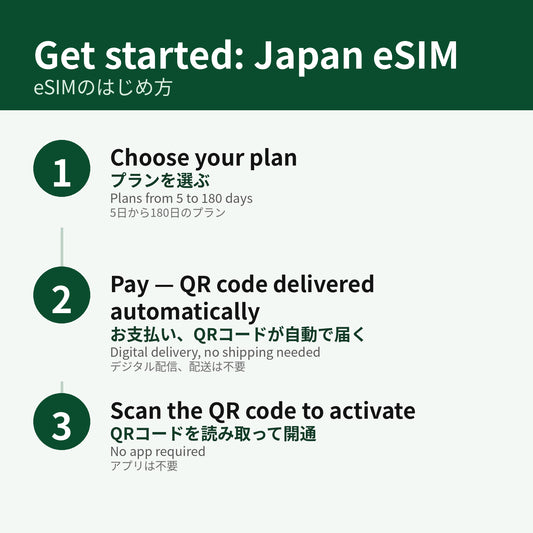
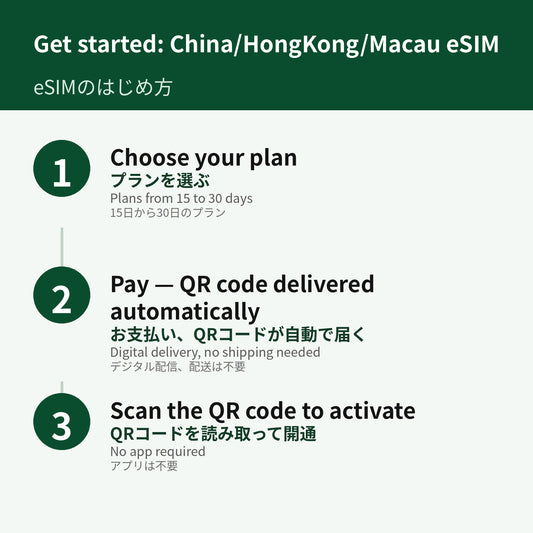
Install the profile before you leave, but start the plan only at your destination. Installing and activating are separate steps, and UROCOMM does not publish one universal activation time because it depends on the destination and local network. For the install, give yourself five to ten minutes on home WiFi so the QR code or installation link completes. Start the plan early and the validity clock can begin before your trip, and the phone might attach to a roaming network while your home line is still the data source. Use airport or hotel WiFi at the destination to turn it on. The eSIM and physical SIM switching guide covers the step-by-step flow.
Will I still get calls and texts on my home number?
Only if the home line stays on. Set your home number as the voice/SMS line and the UROCOMM eSIM as the data line, and incoming calls and texts to your own number will come through. But answering a normal cellular call abroad can trigger a carrier roaming fee. For lower cost, force your carrier line to use WiFi Calling, especially on iPhone. Turn off the home SIM and regular calls and SMS stop until you turn it back on. For the full setup, see use a travel eSIM and home SIM at the same time.
Will keeping my own number active cost me extra?
UROCOMM charges only for the data plan you buy. Your phone bill is none of its business. The extra cost comes from your carrier. If your home line stays on and you answer a call or send an SMS abroad, your carrier may bill you roaming or a daily pass. Incoming SMS is usually free, but do not rely on that for every carrier. To keep costs down, set data to the eSIM, use WiFi Calling on the home line, and skip answering cellular calls unless you need to.
How do I stop my phone from using the home SIM for data?
Disable automatic data switching. On iPhone, set Cellular Data to the UROCOMM eSIM and turn off Allow Cellular Data Switching. On Android, set mobile data to the travel eSIM and turn off auto data switching. Check this before you leave airport WiFi. A common setup mistake is leaving data on the home SIM, which can run up pay-as-you-go roaming or hit a daily pass. If the eSIM does not connect, try selecting the local network manually in mobile network settings. The travel eSIM is data-only, so it will not accidentally make calls.
What if my phone has no eSIM support or is carrier-locked?
Do not buy an eSIM until you confirm the phone is unlocked. A locked phone usually rejects a second provider's eSIM. The workaround is a portable WiFi hotspot: you connect your phone to it and keep your number on your normal SIM. It is clunkier than an eSIM, but it works. If you are going to Japan, the Japan WiFi 6 hotspot needs no SIM. For other regions, check UROCOMM's mobile WiFi range instead of forcing a dual SIM setup that the phone cannot handle.
Need help?
If you get stuck with a dual SIM setup or cannot tell whether your phone is unlocked, write to service@urocomm.com with your phone model and the country you are visiting. If you already know your destination, browse UROCOMM eSIM plans and check the data-only plan for your trip.